Feb 4 • Jordan Felber

What Is AutoCAD for Landscape Design (and Why Professionals Still Use It)

Related Course - AutoCAD for Landscape Design

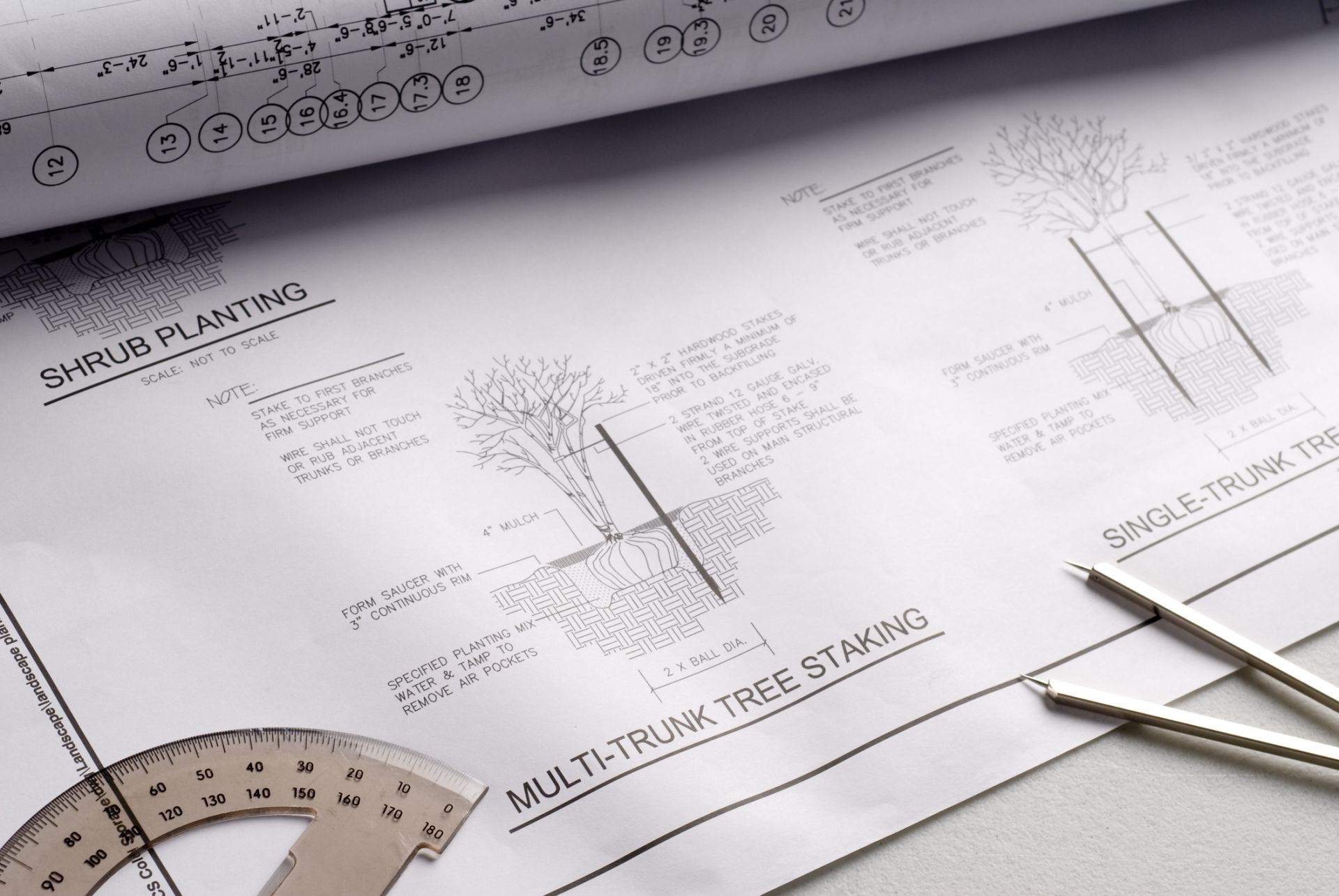
landscape plan created in AutoCAD of planting details

Image sourced from iStock

What is AutoCAD, and why does it remain a foundational tool in professional landscape design despite the rise of AI, 3D modeling, and visualization software?

At its core, AutoCAD is a computer-aided design (CAD) software used to create precise, scaled technical drawings.

In landscape design, AutoCAD serves a very specific role: it is the system that turns ideas into coordinated, buildable documents that contractors, consultants, and municipalities can rely on.

While newer tools excel at form exploration and presentation, AutoCAD remains the backbone of professional landscape documentation—quietly supporting nearly every project that gets built.

What Is AutoCAD for Landscape Design?

What is AutoCAD in the context of landscape design? AutoCAD is a drafting and documentation software used to produce accurate 2D drawings such as site plans, planting plans, and construction details. Rather than focusing on visualization, AutoCAD prioritizes preciseness, scale, clarity, and coordination.

For landscape professionals, AutoCAD is where design intent becomes fixed. It is not a place for exploration, but for resolution.

AutoCAD as a Technical Documentation Tool

AutoCAD allows landscape designers to define exact dimensions, material boundaries, and spatial relationships across a site. These drawings communicate intent clearly to contractors and consultants, reducing ambiguity during construction. This level of precision is essential when multiple trades rely on the same information.

What AutoCAD Is Not Designed to Do

AutoCAD is not optimized for conceptual modeling, atmospheric rendering, or real-time visualization. While it can display 3D geometry, professionals rarely use it that way. Understanding what AutoCAD is not helps designers avoid forcing it into roles better handled by other software.

Why Landscape Designers Still Rely on It

When designers ask what is AutoCAD really for, the answer is reliability. AutoCAD provides a consistent framework for documentation that has been tested across decades of professional use. That reliability is difficult to replace.

Master AutoCAD to design professional-grade 2D landscape plans without wasting time

What Landscape Designers Actually Use AutoCAD For

To understand what is AutoCAD used for in landscape design, it helps to look at the drawings that move a project from concept to construction. These documents define how land, materials, and plantings relate at real-world scale. They are the basis for pricing, permitting, and execution.

Existing Conditions and Base Plans

Landscape designers use AutoCAD to compile survey data into clean, legible base drawings. These plans establish property lines, topography, utilities, and site constraints. Accuracy at this stage informs every decision that follows.

Design Development and Layout Drawings

As the design evolves, AutoCAD supports dimensioned site plans, planting layouts, and hardscape drawings. These documents clarify circulation, spatial hierarchy, and material transitions. They also allow coordination with architecture, civil engineering, and irrigation consultants.

Construction Documents and Details

AutoCAD is essential for producing construction details, sections, and assemblies. These drawings translate design ideas into instructions that can be executed on site. Without this level of documentation, even strong concepts can fail in construction.

Why AutoCAD Remains the Professional Standard

Despite frequent claims that it is outdated, AutoCAD remains deeply embedded in professional practice. When designers question what is AutoCAD’s relevance today, the answer lies in its precision, compatibility, and institutional trust. It continues to define how technical information is exchanged.

Precision and Scale Control

AutoCAD operates in true scale, allowing designers to work with exact measurements and relationships. This precision is critical for grading, material quantities, and alignment with consultant drawings. Small inaccuracies can quickly become costly errors on site.

Industry Compatibility Across Disciplines

AutoCAD’s DWG file format is the shared language of the construction industry. Architects, engineers, surveyors, and contractors all expect AutoCAD-based drawings. This compatibility minimizes translation issues and streamlines coordination.

Longevity and Professional Trust

AutoCAD’s long history has built confidence among review boards, municipalities, and contractors. These stakeholders trust AutoCAD drawings because they are predictable and defensible. That institutional trust reinforces AutoCAD’s role as a professional standard rather than a trend-driven tool.

Master AutoCAD to design professional-grade 2D landscape plans without wasting time

How AutoCAD Fits Into a Modern Landscape Design Workflow

AutoCAD rarely exists in isolation within contemporary practice. Instead, it functions as the technical backbone that supports a broader ecosystem of tools. Understanding what is AutoCAD’s role today means seeing how it integrates with modeling, rendering, and presentation software.

AutoCAD as the Base Layer

In most workflows, AutoCAD is where survey data is cleaned, site geometry is established, and documentation is finalized. It provides the accurate base drawings that other tools rely on. Without this foundation, downstream modeling lacks credibility.

Supporting 3D Modeling and Visualization

Once base plans are established, designers often move into 3D software for form exploration and visualization. AutoCAD supports this transition by supplying reliable reference geometry. This ensures that visual outputs remain grounded in real site conditions.

Click here to read: Landscape Design Rendering: Techniques, Tools, and Best Practices

From Documentation to Presentation

Even when clients never see raw CAD files, AutoCAD underpins final presentations, permit sets, and construction packages. The clarity clients experience in finished deliverables is often the result of disciplined AutoCAD workflows behind the scenes.

Who AutoCAD Is For—and When It Actually Matters

So, what is AutoCAD for, and who truly needs it? The answer depends on responsibility. The closer a designer is to construction, the more critical AutoCAD becomes. Its importance increases as accountability increases.

Entry-Level and Emerging Designers

For beginners, AutoCAD establishes foundational skills around scale, accuracy, and technical thinking. Learning AutoCAD early aligns designers with professional expectations and helps them understand how ideas translate into buildable systems.

Freelancers and Independent Designers

Independent designers rely on AutoCAD to produce drawings that hold up under review. Clear documentation protects credibility and reduces risk. For freelancers, AutoCAD often marks the transition from conceptual work to professional practice.

When AutoCAD Truly Matters

AutoCAD matters most when drawings leave the designer’s hands. Permitting, contractor pricing, and construction all depend on clarity and precision. In these moments, AutoCAD functions less as software and more as professional accountability.

Master AutoCAD to design professional-grade 2D landscape plans without wasting time

Learning AutoCAD Specifically for Landscape Design

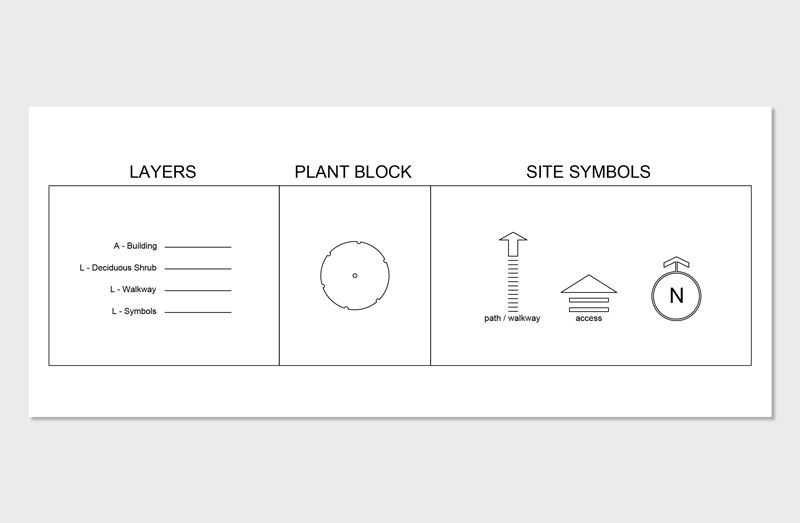
landscape plan showcased inside AutoCAD the software
Understanding what is AutoCAD is only the first step. The real challenge for many designers is learning how to use AutoCAD as it actually functions in landscape practice, rather than through generic tutorials built for architects or engineers. This gap is where many designers lose time, confidence, and momentum.

Our AutoCAD for Landscape Design course is built around real workflows used in professional landscape projects. Instead of focusing on isolated commands, the course teaches how to structure drawings, organize layers, work from surveys, and produce clean, buildable plans that align with industry expectations. The emphasis is on clarity, efficiency, and repeatable systems—not abstract exercises.

The course is designed for designers who want to move beyond basic familiarity and into confident professional use. Whether you are transitioning into independent work, supporting a design-build practice, or refining your technical foundation, the goal is the same: to make AutoCAD feel less like software you’re “figuring out” and more like infrastructure you can rely on.

What is AutoCAD FAQs

What is AutoCAD?

AutoCAD is a computer-aided design (CAD) software used to create precise, scaled technical drawings. It is widely used across architecture, engineering, and construction to produce plans, sections, and details that communicate how a project will be built.

What is AutoCAD used for?

AutoCAD is used to create accurate 2D drawings such as site plans, layout plans, and construction documents. These drawings support permitting, contractor pricing, and on-site construction by clearly defining dimensions, materials, and spatial relationships.

How do you use AutoCAD for landscape design?

In landscape design, AutoCAD is used to draft existing conditions plans, planting plans, hardscape layouts, and construction details based on survey data. Designers use it to organize site information, coordinate with consultants, and produce buildable drawings at true scale.

How do you learn AutoCAD for landscape design?

The most effective way to learn AutoCAD for landscape design is through landscape-specific instruction that focuses on real workflows rather than generic commands. Learning how to work from surveys, organize layers, and produce professional documentation helps designers use AutoCAD confidently in practice.